Tonecraft
guitar in the studio
Personal project, live
A web application for learning a song on guitar and recording yourself, on a single page. Plug in your guitar and open the site, with nothing to install and no account: pick your tone, follow the score with the band behind you, then record your take.
- Designed and developed alone, with Claude Code, from my own specification
- Live, with feedback from guitarists every day
- Tested automatically before each release

The approach
The need
Working on a cover takes several tools: the score, the original song, an amp’s tone, a way to record. On a computer, that means several programs, several licences and windows to juggle.
The sound of a real amp
Without an amp, an electric guitar is almost silent. Its sound comes from the gear: pedals, amp, speaker. Tonecraft recreates all of it.
The heart of the sound is a capture: a real amp reproduced by an AI, which reacts to your playing like the original. Tonecraft offers four, shared by the community. The main one, GUILT, is set to my taste for solos, with an echo that suggests a church, hence its stained glass. A recorded demo lets you try it without a guitar.
The guitar
The pedals
The amp
The speaker
The finish
The headphones
Making the amp sound real
The hardest part. I first tried to build my own amp. With no sound library to train an AI on, a convincing result was impossible.
So I started from the community’s captures and built everything around them. Playing guitar made the difference: I compared Tonecraft by ear with the best simulations on the market, such as Neural DSP, until the tone pleased as many people as possible.
Follow the score
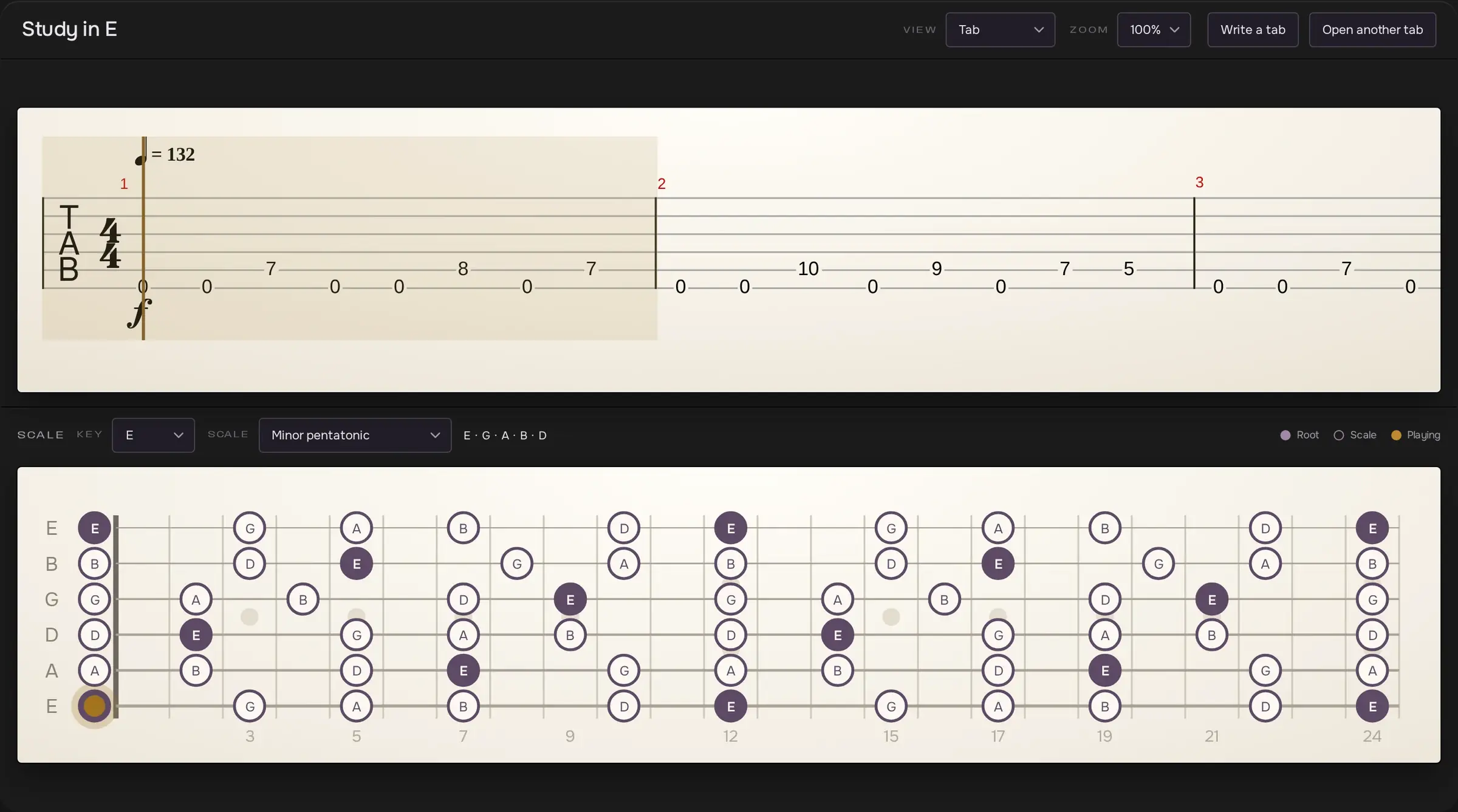
Guitarists often learn from a tab, a score that shows which string and fret to play. Here it scrolls with the music, and a drawn fretboard shows where to put your fingers. The file never leaves the computer.
You can slow down, loop a passage or mute the guitar to play its part, and write your own tabs. This reader only loads when needed, so the page opens fast.
Record your version
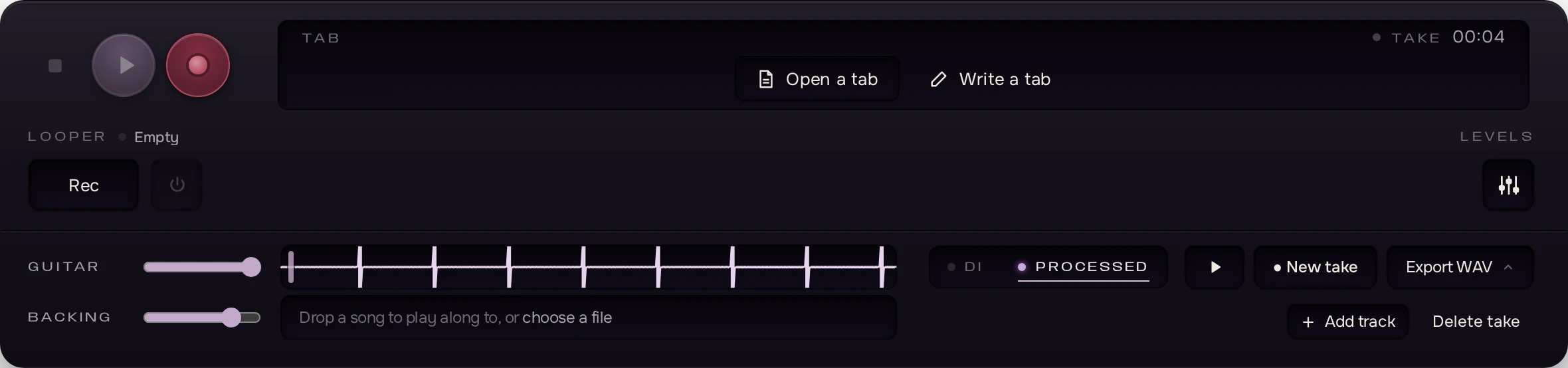
Start the original song, play over it, record yourself. The guitar is kept raw, so you can change amp afterwards. Download the raw sound or the amp’s, alone or with the song.
The looper plays a passage back in a loop to practise over.
Tune up and keep time
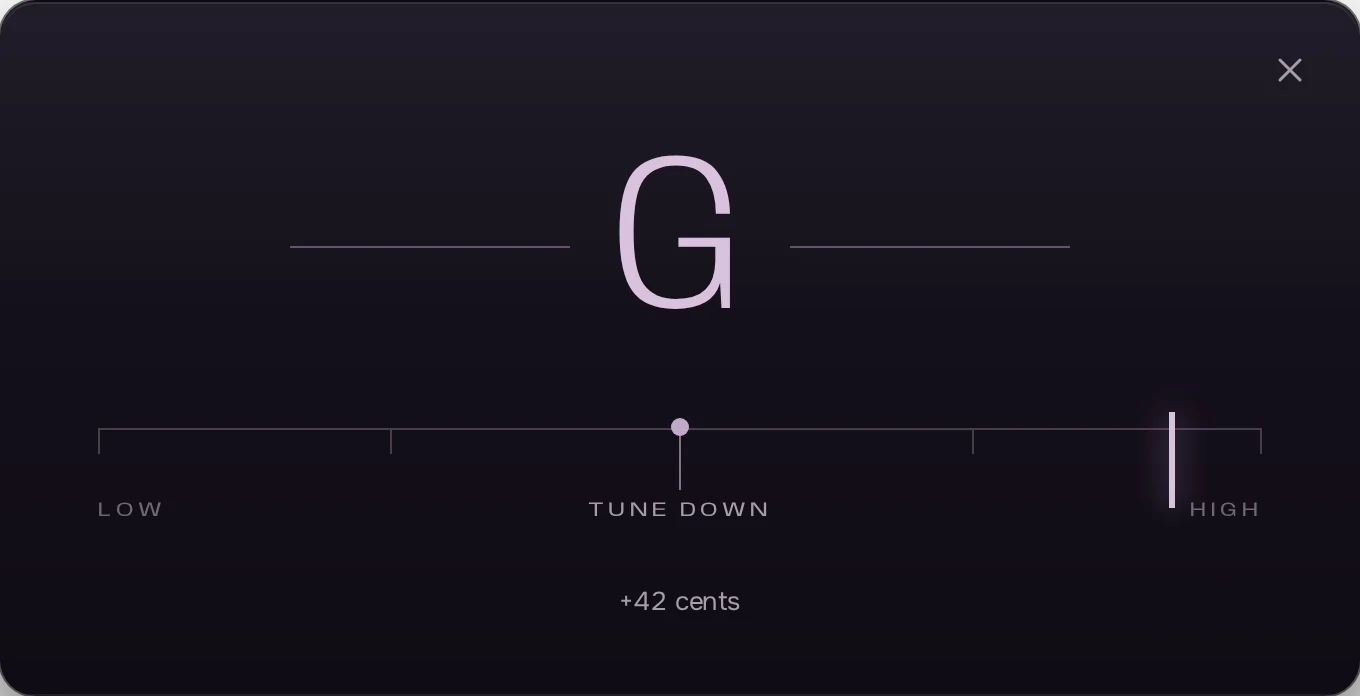
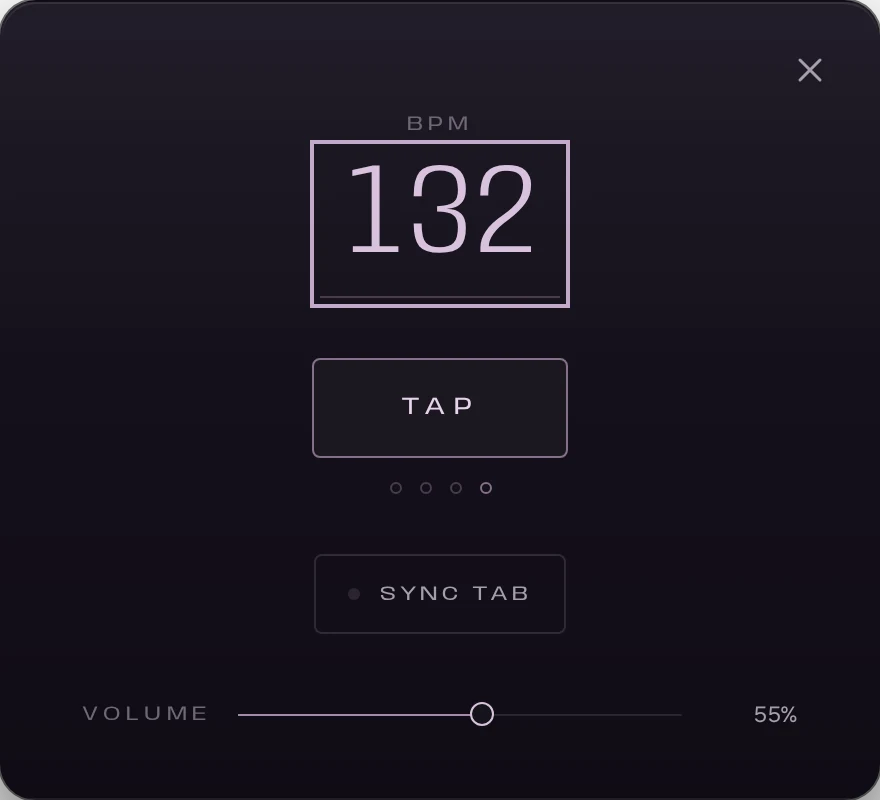
The tuner shows whether the note is too high or too low, to a hundredth of a semitone. The metronome follows the chosen tempo, or one tapped on a button. Its click is heard in the headphones, never in a recording.
Behind the page
The sound is computed right in the browser. To cut the delay between the note played and the note heard even further, a small optional program, Tonecraft Engine, runs the same engine outside the browser.
The interface only says the amp is ready once confirmed, and reports the failure otherwise. Before each release, automated tests check this loading, the demo without a microphone, the scores and recording.
The page
Astro, Svelte
The scores
alphaTab
The conductor
TypeScript
The memory
IndexedDB
The browser
Web Audio API
orTonecraft Engine
Rust
The audio engine
C++, WebAssembly
How I built it
Designed and developed alone, with Claude Code in agent mode, from a specification I wrote with the BMAD method. I test everything and decide what is kept. Two weeks for a first version, one more for v1, spent on design and accessibility. It has evolved continuously since.
I read the TypeScript and can explain it. The audio engine’s C++, compiled to WebAssembly, and Tonecraft Engine’s Rust, I judge by ear: I do not code in those languages.
What guitarists tell me
I use it to work on my songs. Other guitarists try it and write to me every day: they like having everything on one page, trying the amps, and tell me what is missing. That feedback decides what I add, rework or keep.
Tonecraft mostly offers distorted tones; clean and acoustic ones are coming, then a space to share settings. An account will become possible for that, never required to play.
Let’s talk about your apprenticeship
An apprenticeship offer, a question about a project? Write to me.